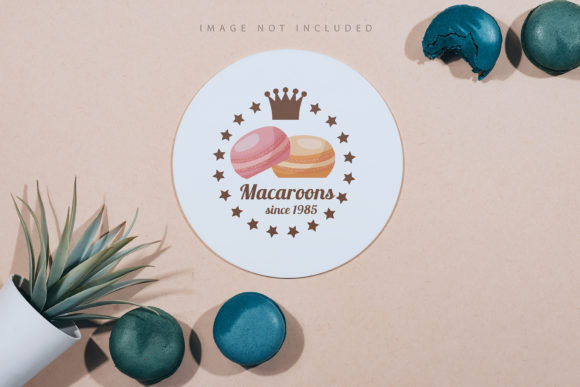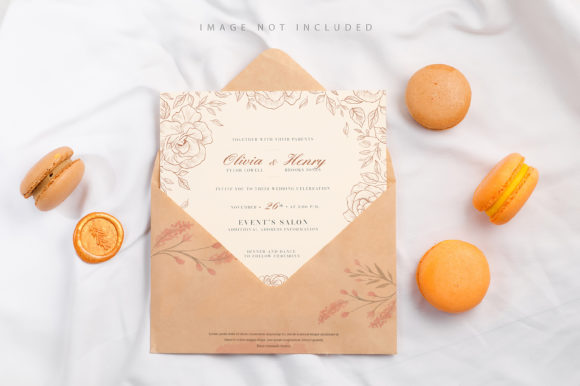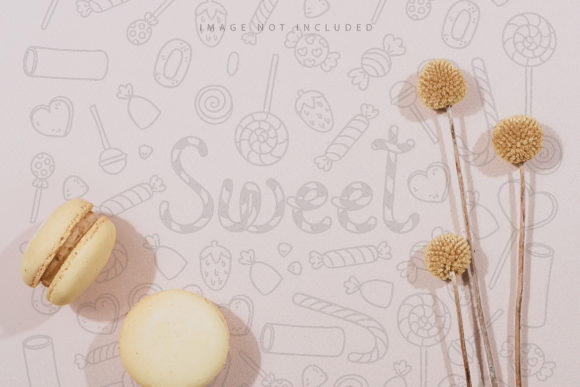
Macarons with Dry Flowers Mockup for Designers
The intersection of culinary aesthetics and graphic design offers a unique playground for creative professionals. When you introduce the Macarons with Dry Flowers Mockup, you are not just presenting a dessert; you are showcasing a curated visual experience that blends delicate textures with vibrant colors. This specific tool is designed to elevate your presentation skills, allowing creators to visualize packaging, branding, or editorial concepts without needing a physical photoshoot. It bridges the gap between imagination and reality, providing a tangible canvas for your digital assets.
Understanding the Tool and Its Core Features
At its heart, this mockup is a high-resolution photo asset, distinct from 3D renders or vector illustrations. The authenticity of a real photograph brings an immediate sense of trust and quality to any project. With dimensions of 6016×4016 pixels, it provides ample space for detailed work while maintaining the crispness required for professional printing. The resolution of 300 DPI ensures that whether you are preparing files for a large format poster or a sleek social media ad, the output remains sharp and clear.
The most critical component of this workflow is the active smart object. This feature simplifies the technical barrier often associated with mockups. You do not need to be an expert in Photoshop masking or layer blending modes. The process is streamlined: simply paste your design into the smart object, save the file, and watch your artwork integrate seamlessly onto the macaron surface. This efficiency allows designers to focus on creativity rather than technical troubleshooting.
The Importance of the Safety Zone
One of the subtle yet vital features included in this file is the safety zone. In the world of print and design, margins are crucial to prevent content from being cut off during production or cropping. The safety zone acts as a guide, marking the lines of the object that should remain safe from trimming or edge distortion. By activating the specific layer, you can visualize these boundaries directly within your workspace. This ensures that your typography, logos, and essential graphics stay visible and intact, regardless of how the final image is framed or printed.
It is important to note that the background and the inherent color of the macaron itself do not change automatically. The mockup applies your design as a texture overlay, preserving the lighting, shadows, and depth of the original photograph. This realism is what separates a flat digital file from a compelling visual representation. Additionally, any pre-applied typography in the base image is not included in your download, giving you the freedom to add your own brand messaging without fighting over existing text elements.
Creative Applications for Various Industries
The versatility of the Macarons with Dry Flowers Mockup extends far beyond simple product visualization. Different professionals can adapt this asset to meet specific goals across multiple platforms. For food bloggers and recipe developers, this mockup serves as a perfect backdrop for promoting new recipes or sharing behind-the-scenes content. Imagine placing your custom label on a macaron featuring dried lavender or rose petals, then using the image to drive traffic to a blog post about spring baking trends.
For small business owners and entrepreneurs launching a confectionery line, this tool is indispensable for market research and pitch decks. Before investing in expensive photography for a Kickstarter campaign or investor presentation, you can prototype various packaging designs. Test different color palettes, font combinations, and logo placements instantly. This iterative process saves time and money, allowing you to refine your brand identity based on visual feedback before committing to mass production.
Marketing and Social Media Strategies
In the realm of digital marketing, visual consistency is key. Marketers can use this mockup to create cohesive campaigns across Instagram, Pinterest, and Facebook. The dry flower element adds a touch of organic elegance that resonates well with audiences interested in lifestyle, wellness, and artisanal goods. By swapping out your design files, you can generate a week's worth of content variations in minutes. A pastel-colored wrapper might appeal to a wedding audience, while a bold, dark design could target a younger demographic looking for trendy treats.
Educators and hobbyists also find value in this resource. For those teaching graphic design principles, this mockup provides a practical exercise in applying branding to real-world objects. Students can learn about kerning, color theory, and hierarchy by seeing their work applied to a textured, three-dimensional surface. Similarly, DIY enthusiasts planning events can use the mockup to design custom party favors or wedding stationery, ensuring that every detail matches their theme perfectly.
Best Practices for Effective Design Integration
To get the most out of this Macarons with Dry Flowers Mockup, consider the context in which your design will be viewed. Since the background and design color do not change, ensure that your artwork complements the natural tones of the macaron and the dried flowers. High contrast works well for readability, but harmonious colors can create a more sophisticated look. Always check your alignment against the safety zone to avoid accidental clipping.
Organization is another factor that contributes to a polished final result. Keep your layers clean and labeled within the PSD file. If you are creating a series of variations, save each version with a clear naming convention. This practice makes it easier to revisit previous iterations or share files with team members who may need to make adjustments later. Remember, the goal is to present a clear, effective, and original vision that speaks directly to your intended audience.
When selecting imagery for your smart object, pay attention to the resolution of your source file. While the mockup itself is high quality, a low-resolution input will result in pixelation when saved. Aim for vector-based designs or high-DPI raster images to maintain clarity. Furthermore, consider the lighting in the original photo. If the light source comes from the top left, ensure that any drop shadows or highlights in your design align with this direction to maintain photorealism.
Why Choose This Specific Format
The decision to use a photo-based mockup over a 3D model often comes down to authenticity. Viewers today are increasingly savvy and can detect artificial lighting and textures. A real photograph captures the subtle imperfections and nuances of dried flowers and sugar shells that algorithms sometimes miss. This authenticity builds trust with potential customers. When they see a realistic rendering of their future product, they are more likely to engage with the brand.
The inclusion of documentation within the package further supports users at all skill levels. Whether you are a seasoned freelancer or a beginner exploring the world of branding, the instructions ensure you can utilize the safety zones and smart objects correctly. This support system reduces frustration and accelerates the learning curve. Ultimately, the Macarons with Dry Flowers Mockup is more than just a template; it is a strategic asset that empowers creators to bring their visions to life with precision and style.
By leveraging this tool, you position yourself to deliver high-quality presentations that stand out in a crowded marketplace. The combination of artistic flair and technical utility makes it an essential addition to any designer's toolkit. Embrace the opportunity to experiment, iterate, and refine your ideas until they match the standard of excellence you strive for.