A4 Bifold Mockup for Professional Design Presentation
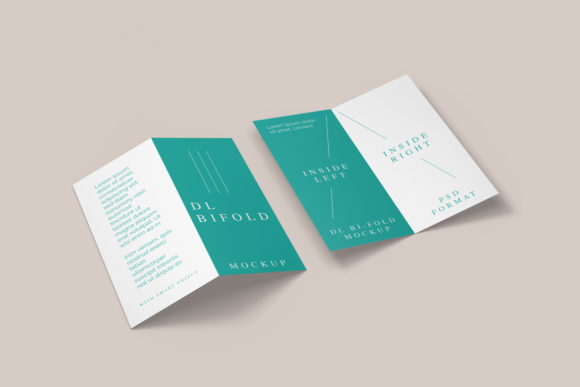
In the competitive world of visual communication, how you present your work is just as critical as the work itself. A client or employer rarely judges a design in isolation; they need to see it in context. This is where an A4 Bifold Mockup transforms from a simple file into a powerful sales tool. It bridges the gap between a flat digital image and a tangible product, allowing you to showcase brochures, flyers, or marketing collateral in a realistic 3D display that commands attention.
For professionals ranging from freelance marketers to established business owners, the ability to visualize a final product instantly can make the difference between securing a contract and losing a pitch. This tool is designed to streamline that process, offering a seamless way to replace current designs with your own within seconds using advanced smart-object features.
Why Realistic Visualization Matters
When you are pitching a new brand identity or a marketing campaign, abstract concepts often fail to resonate. Stakeholders struggle to imagine how a two-page spread will look when folded, printed, and handed to a customer. A high-quality mockup solves this cognitive gap. By placing your artwork onto a realistic A4 sheet that has been folded in half, you provide immediate clarity.
This level of detail builds trust. It signals that you understand the physical constraints of print media and care about the end-user experience. Whether you are a designer presenting to a corporate board or a small business owner showing off a new menu, the A4 Bifold Mockup elevates your perceived value. It turns a static JPEG or PNG into a dynamic presentation that feels premium and polished.
Key Characteristics and Technical Strengths
The effectiveness of any design asset lies in its flexibility and ease of use. The A4 Bifold Mockup excels in these areas through several distinct technical features:
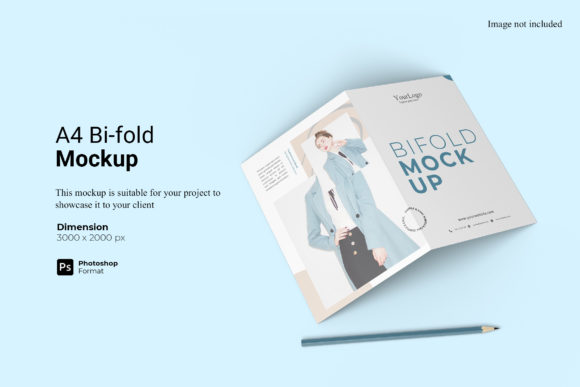
- Smart-Object Integration: The core strength of this PSD Photoshop format is its smart-object layering. You do not need to be a graphic design expert to use it. Simply double-click the designated layer, paste your design, save, and close. The mockup automatically adjusts to fit the folds, shadows, and perspective of the paper.
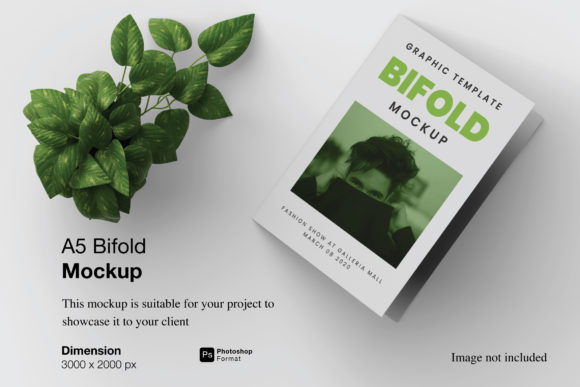
- High-Resolution Output: Designed at a massive 3000x2000 px size with a resolution of 300 dpi, this mockup ensures crisp details even when viewed on large monitors or printed for presentations. There is no pixelation, blurriness, or loss of quality.
- Customizable Backgrounds: One of the most practical features is the changeable background color. You can match the mockup to your brand palette, create a clean white studio look, or set a dark, moody atmosphere depending on the mood of your presentation.
- User-Friendly Workflow: Included with the file is a PDF help guide. This resource walks you through the setup process, ensuring that even those who are less familiar with Adobe Photoshop can get up and running quickly.
Practical Applications Across Industries
The utility of an A4 Bifold Mockup extends far beyond the graphic design studio. Its versatility makes it a staple for various sectors, each leveraging the tool to communicate more effectively.
Marketing and Branding
Marketers frequently need to present campaign materials. Imagine showcasing a tri-fold brochure concept to a client. Using the mockup, you can demonstrate how the branding flows across the front cover, the interior panels, and the back. This helps clients visualize the customer journey from the moment they pick up the material to the final fold. It allows for rapid iteration; if a client requests a color change, you can swap it out in seconds rather than waiting days for a new render.
Education and Training
Educators and trainers often create handouts, syllabi, or workshop guides. An A4 Bifold Mockup allows them to present these materials professionally in course catalogs or online learning portals. For students studying print design, this mockup serves as an excellent educational tool to learn about layout, margins, and bleed settings before actual printing.
Publishing and Content Creation
Bloggers and publishers looking to monetize their content often create e-books or downloadable guides. Showing a preview of what the final printed version looks like adds a layer of tangibility that encourages downloads. Similarly, self-published authors can use this to create compelling book blurbs or author profiles that look ready for distribution.
Enhancing Communication and Engagement
Effective communication relies on reducing friction. When a potential client sees a design that looks "real," their brain processes it differently than a flat file. They stop thinking about the technical aspects and start imagining the utility of the product. This psychological shift drives engagement.
Furthermore, the ability to customize the background allows for better storytelling. If you are designing a luxury travel brochure, a warm beige background might evoke the feeling of sand and sun. Conversely, a stark black background could emphasize a modern, tech-focused aesthetic. The mockup adapts to your narrative, enhancing the emotional impact of your design.
Efficiency and Productivity Benefits
Time is a valuable currency for freelancers and agency owners. Traditional methods of creating 3D renders can take hours or require expensive software subscriptions. With this smart-object based A4 Bifold Mockup, the workflow is accelerated significantly. You can prepare multiple variations of a design for different clients in the time it used to take to render just one. This efficiency directly translates to higher productivity and the ability to take on more projects without sacrificing quality.
Considerations for Implementation
While the A4 Bifold Mockup offers significant advantages, there are practical considerations to keep in mind to ensure the best results. First, always ensure your source design is high-resolution. Even though the mockup is 300 dpi, feeding it a low-quality image will result in a poor final output.
Secondly, pay attention to the safe zones. When folding an A4 sheet, parts of the design near the crease may become difficult to read or visually distorted. Use the mockup's lighting and shadow cues to adjust your layout accordingly. Most professional designers will add a slight buffer around the edges of their artwork to account for the folding mechanism.
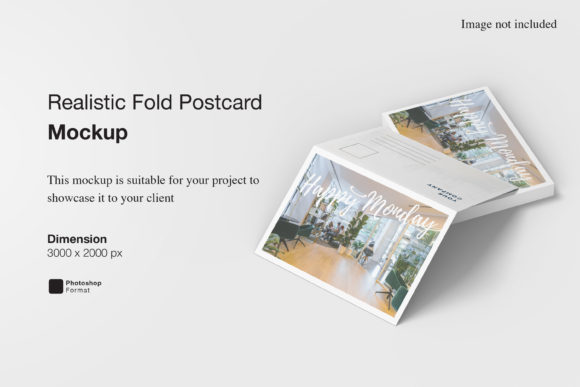
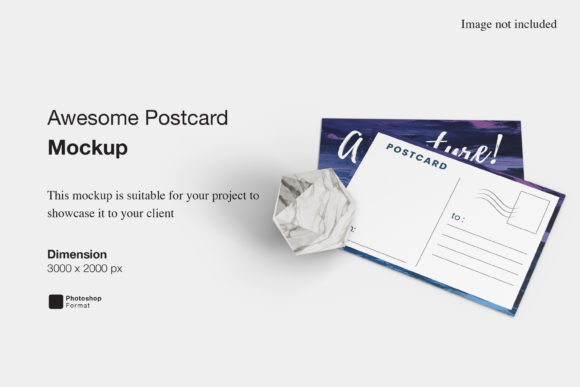
It is also important to remember that the photos used in the preview images are for illustration purposes only. The mockup itself is a template, meaning the specific props or environments shown in the demo are not included unless specified. However, the changeable background feature allows you to recreate similar environments easily by adjusting the lighting layers within the PSD file.
Making the Right Choice for Your Projects
Selecting the right tools is a decision that impacts the quality of your deliverables. The A4 Bifold Mockup stands out because it balances realism with usability. It does not require complex rendering engines or months of learning curves. Instead, it offers a straightforward, reliable solution for anyone needing to present printed materials.
Whether you are a hobbyist looking to print a personal portfolio, a freelancer bidding on a government contract, or a business owner launching a new product line, this tool provides the professional polish needed to succeed. By replacing generic placeholders with your unique vision, you turn a standard document into a memorable brand experience.
Ultimately, the goal of any design project is to communicate a message clearly and persuasively. An A4 Bifold Mockup facilitates this by providing a clear window into the future state of your work. It removes the guesswork, enhances your credibility, and ensures that your hard work is presented exactly as intended. In a market where first impressions matter, having a realistic, high-fidelity representation of your designs is not just a luxury—it is a necessity.