Business Card Mockup: Showcase Your Designs Realistically
In the fast-paced world of branding, first impressions happen in a split second. A physical business card is often that very first tangible interaction between you and a potential client. However, showing off a flat design file on a computer screen rarely conveys the same impact as seeing it in a realistic setting. This is where a business card mockup becomes an indispensable tool for creators, entrepreneurs, and marketers alike. It bridges the gap between a digital concept and a real-world product, allowing you to present your work with professional polish.
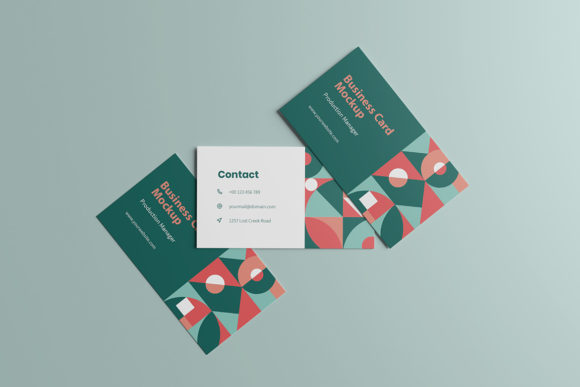
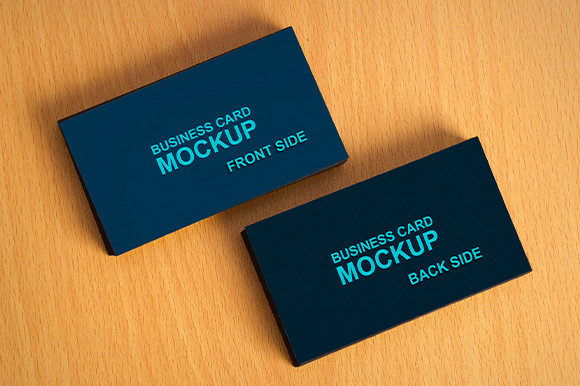
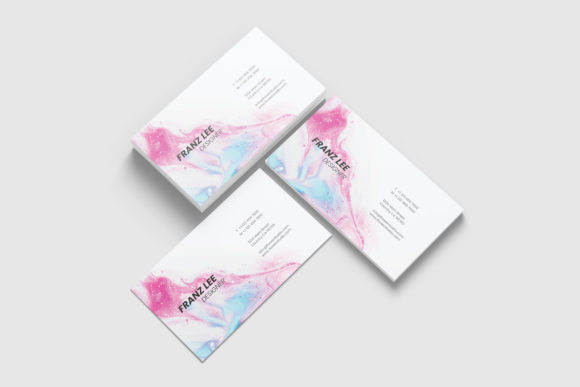
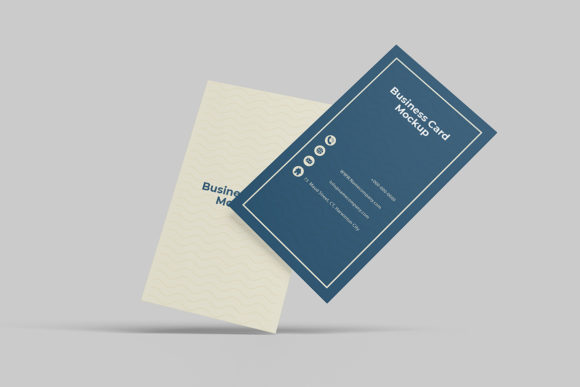
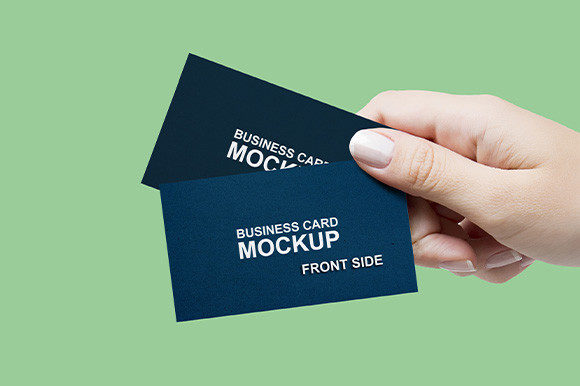
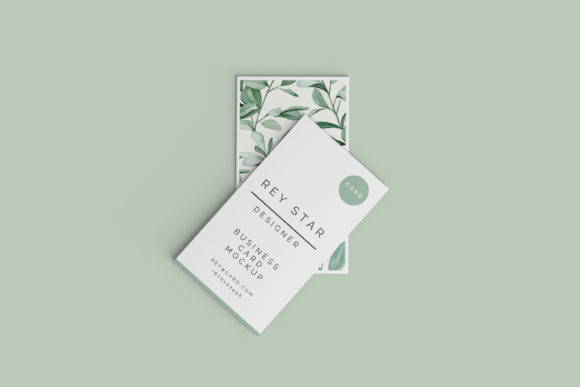
This specific item is designed to help you showcase your designs professionally in a realistic 3D display. Instead of struggling with complex rendering software or taking photos under poor lighting conditions, you can instantly visualize how your artwork looks on a premium card stock. The primary goal is to elevate your portfolio, pitch decks, and social media content by providing a high-quality, authentic representation of your final product.
Why Realistic 3D Displays Matter
When clients or employers look at your portfolio, they need to see more than just a flat image; they need to feel the texture and understand the scale. A standard 2D image can sometimes look sterile or disconnected from reality. By using a business card mockup, you introduce depth, shadows, and perspective that mimic a real-life environment. This 3D display capability helps viewers grasp the quality of the materials and the precision of your design choices.
For freelancers and small business owners, this visual clarity is crucial. It builds trust. When a client sees a design that looks like it has been printed and held in someone's hand, they are more likely to approve the project. It transforms your digital file into a concrete solution. Whether you are a graphic designer pitching a rebranding package or a blogger promoting a new event, presenting your work in a realistic 3D context demonstrates attention to detail and professionalism.
Effortless Customization with Smart Objects
One of the most significant barriers to creating high-quality presentations is the technical difficulty involved. Many designers avoid using mockups because they assume it requires advanced Photoshop skills. That assumption is incorrect with this particular template. It is available in PSD Photoshop format with smart-object features specifically to help you replace the current designs with your own within seconds.
The process is incredibly intuitive. You do not need to manually align layers, adjust curves, or worry about distortion. The template includes smart-object features that allow you to simply double-click a designated layer, paste your design, save the file, and watch as your artwork automatically conforms to the angles and lighting of the card. This ease of use means that even beginners can produce results that look like they were created by industry experts. You can iterate through different color schemes, layouts, or typography styles rapidly without starting from scratch each time.
Key Features That Enhance Workflow
- Changeable Background Color: Context matters. Sometimes a dark background makes your white text pop, while a light background feels cleaner and more corporate. Being able to change the background-color allows you to tailor the presentation to match your brand identity or the specific mood you want to convey.
- High Resolution Output: Clarity is non-negotiable for professional work. This template offers a massive 3000x2000 px size at 300 dpi. This ensures that whether you are printing a large poster of your portfolio or sharing a crisp image on Instagram, the details remain sharp and free from pixelation.
- Comprehensive Support: Getting started should be seamless. The package comes with an easy-to-use PDF help guide that walks you through the setup process step-by-step, ensuring you never get stuck on a technical hurdle.
Practical Applications for Various Users
The versatility of a business card mockup extends far beyond just graphic designers. Its utility spans across numerous professions and creative endeavors. For educators, it can be used to create course materials or promotional flyers for workshops. Bloggers and content creators can use it to illustrate articles about branding tips or to show off their own personal stationery.
Consider a scenario where a marketing agency needs to present a new campaign to a stakeholder. Instead of sending a folder full of flat JPEGs, they can use the mockup to create a compelling slide deck. They might place the business card next to a coffee cup or on a wooden desk to evoke a sense of lifestyle and usability. This storytelling approach helps stakeholders visualize the end result, making the decision-making process smoother and faster.
Even hobbyists who design custom cards for friends or local community groups benefit from this tool. It allows them to share their creations on social media with a level of quality that rivals commercial studios. It turns a simple design exercise into a portfolio-worthy piece of work.
Important Considerations Before You Start
While this tool is powerful, it is important to have realistic expectations regarding its components. Please note that the photos used in the preview are not included; they are there solely for illustration purposes only. This means you will be working with the blank card structure and applying your own graphics to the provided templates. Understanding this distinction prevents confusion during the initial download and setup phase.
Additionally, ensure you have Adobe Photoshop installed, as the smart-object functionality relies on this software. While the interface is user-friendly, familiarity with basic file management (like saving PSD files) will make the experience even smoother. If you are new to these tools, take a moment to read the included PDF help guide before diving in. It provides valuable insights on how to manage layers and export your final images correctly.
Maximizing the Value of Your Design
Ultimately, the value of this business card mockup lies in its ability to save time while increasing the perceived value of your work. In a competitive market, standing out is essential. By investing a few minutes to apply your design to a realistic 3D display, you signal to your audience that you care about the quality of your output. It is a small effort that yields a disproportionate return in terms of professional credibility.
Whether you are launching a startup, refining your personal brand, or simply looking to improve your design presentations, this tool offers a streamlined path to success. With its high resolution, flexible background options, and user-friendly smart objects, it removes the technical friction that often hinders creativity. Embrace the convenience of modern design tools to bring your ideas to life, and let your work speak for itself in the most convincing way possible.