Bringing Your Landscape Designs to Life with the Awesome Landscape Magazine Mockup
There is a distinct difference between a design that looks good on a flat screen and one that feels tangible, professional, and ready for publication. When you are an architect, a landscape designer, or a creative director pitching a new vision, the way your work is presented can make or break the deal. This is where the Awesome Landscape Magazine Mockup steps in as more than just a digital file; it becomes a bridge between your imagination and the client's reality.
This tool is designed specifically for professionals who need to showcase their designs in a realistic 3D display without spending hours building complex scenes from scratch. It transforms a standard Photoshop document into a dynamic presentation stage, allowing you to replace your current designs with your own within seconds using smart-object features. Whether you are finalizing a portfolio piece or preparing a pitch deck, having a high-quality, 300 dpi mockup at 3000x2000 px ensures that every detail of your layout is visible and impressive.
Why Realism Matters in Landscape Presentation
In the world of landscape architecture and interior design, clients often struggle to visualize how a 2D blueprint translates into a physical space. They might understand the dimensions, but they cannot feel the texture of the stone, the flow of the water feature, or the interplay of light and shadow in a garden. A flat image on a computer monitor often fails to capture this depth.
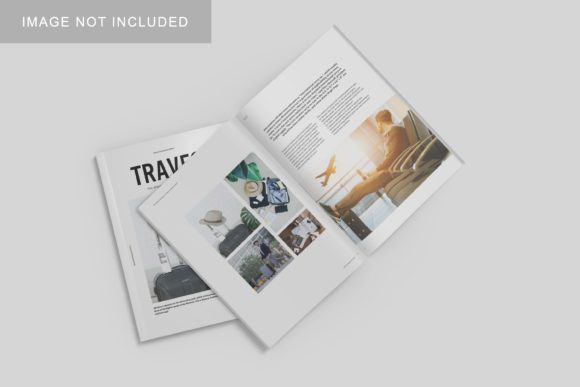
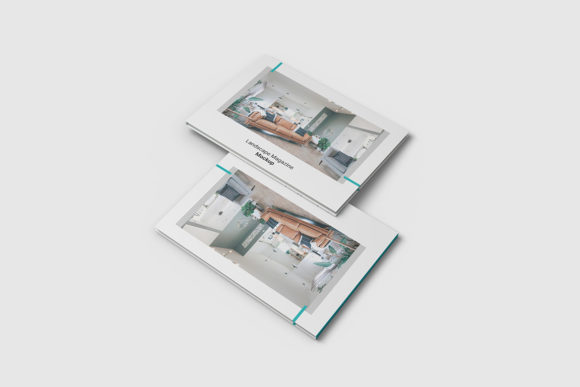
The Awesome Landscape Magazine Mockup solves this by placing your design into a context that mimics a real-world magazine spread. Imagine opening a glossy publication like Dwell or Garden Design. The paper has weight, the lighting is soft, and the perspective draws you in. By presenting your work in this format, you instantly elevate the perceived value of your project. It signals to the client that you care about the presentation as much as the design itself.
Consider a scenario where you are pitching a residential garden redesign. Instead of sending a PDF of your floor plans, you send a link to a visual where the client sees their future backyard framed perfectly within a stylish magazine layout. The changeable background-color feature allows you to match the mood of the presentation—perhaps a crisp white for a modern, minimalist aesthetic, or a warm beige for a rustic, organic feel. This level of customization helps set the emotional tone before the client even reads a single line of text.
Who Benefits Most from This Tool?
While the primary audience includes landscape architects, the versatility of this PSD file extends far beyond a single industry. Let's look at how different professionals utilize this resource in their daily workflows.
- Landscape Architects and Designers: For these creatives, the mockup is essential for client presentations. It allows them to showcase plant palettes, hardscaping details, and irrigation plans in a cohesive, editorial style. The ability to swap out designs quickly means they can test multiple concepts for the same client without losing time.
- Real Estate Developers: When marketing a new housing development, developers need to sell a lifestyle, not just square footage. Using the mockup to display community gardens, parks, or private courtyards in a magazine format makes the property look exclusive and well-planned.
- Interior Stylists and Photographers: Even if your focus is indoor-outdoor living spaces, this tool helps in creating stunning content for social media or blogs. You can photograph your setup, edit it in Photoshop, and then drop the result into the mockup to create a "finished" look that drives engagement.
- Students and Educators: For those studying design, the mockup offers a low-stakes environment to practice layout skills. Students can experiment with typography and imagery, seeing immediately how their choices look in a professional context.
Practical Scenarios: From Concept to Client Approval
Let's explore a few real-world situations where this tool shines. Picture a freelance graphic designer working with a local botanical garden. They have created a brochure for an upcoming flower show, but they need to present it to the board members who are traditional and skeptical of digital-only proofs. By using the Awesome Landscape Magazine Mockup, the designer creates a photorealistic preview. The board members can see exactly how the colors will print, how the text will sit on the page, and how the images will be cropped. The confidence gained from seeing a tangible-looking product often accelerates the approval process significantly.
Another common use case involves remote collaboration. In today's digital-first world, many teams work across different time zones. A team member in London might finish the layout, while the lead designer in New York needs to review it. Sending a raw PSD file can be confusing, but sending a rendered mockup provides immediate clarity. The recipient doesn't have to guess what the final output will look like because the mockup already simulates the final product.
Furthermore, consider the speed factor. Traditional mockups often require setting up lights, cameras, and textures in 3D software, which can take hours. With the smart-object features included in this item, the process is reduced to a matter of minutes. You simply open the PSD, double-click the smart object layer, paste your design, save, and close. The rest happens automatically. This efficiency is crucial when you are working against tight deadlines or handling last-minute revisions.
Navigating Limitations and Making the Right Choice
While the Awesome Landscape Magazine Mockup is a powerful asset, it is important to approach its usage with realistic expectations. First and foremost, the photos used in the preview are strictly for illustration purposes only. This means you cannot use the sample images provided in the download for your own commercial projects. You must ensure you have the rights to all the images you plan to insert into the template.
Additionally, while the file is available in PSD format with high resolution (300 dpi), the final quality still depends on the source material you provide. If you upload a low-resolution image or a design with pixelated elements, the mockup will not magically fix it. The magic lies in the combination of a high-quality template and high-quality content. Users should also be aware that while the background color is changeable, the lighting and shadows are baked into the scene to maintain realism. If your design requires a completely different lighting angle, you may need to adjust the shadows manually, though the default settings usually cover most standard scenarios.
Another consideration is the learning curve. Although the file is described as easy to use, users unfamiliar with Photoshop's smart-object system might find the initial setup slightly daunting. Fortunately, the included PDF help guide walks you through the process step-by-step. Taking the time to read this guide upfront can save hours of frustration later. It ensures you understand how to navigate the layers and avoid accidentally locking yourself out of the editable areas.
Maximizing Your Creative Output
The ultimate goal of any design tool is to free up your time so you can focus on creativity rather than technicalities. By automating the presentation aspect, the Awesome Landscape Magazine Mockup allows you to iterate faster. You can try five different color schemes, three different fonts, and two different layouts in the time it usually takes to create one. This rapid prototyping leads to better final products because you have explored more options.
Moreover, the consistency offered by this tool helps build a strong brand identity. If you consistently present your work in a specific, polished format, clients begin to associate that look with your professionalism. It creates a cohesive narrative around your portfolio, making your work stand out in a crowded market.
Whether you are a seasoned pro looking to streamline your workflow or a newcomer eager to make a great first impression, this mockup provides the foundation you need. It turns a simple design file into a compelling story, inviting your audience to step into the world you have created. With its robust features, high resolution, and user-friendly interface, it stands as a reliable partner in your design journey.